
Download Gears of War Windows 7 Theme – Gears of War, Windows 7 Theme, Gears of War Theme, PC Theme, Desktop Theme, Windows 7 Wallpaper, Gears of War Wallpaper, Gears of War Fan Theme
Overview
The Gears of War Windows 7 Theme offers a visually immersive experience for fans of the acclaimed video game series, transforming the standard Windows 7 desktop into a dynamic environment inspired by the game’s signature aesthetic. Designed specifically for enthusiasts of Gears of War, this theme brings iconic visuals, characters, and color schemes directly to the user’s desktop, enhancing the overall computing experience with a sense of narrative and identity. The theme serves as a tribute to the game’s gritty, action-packed universe, allowing users to display their fandom in a tangible and creative way.
It is intended for users who value personalization and wish to integrate their favorite game into their daily digital routine. Whether used for casual browsing, work, or gaming sessions, the theme provides a consistent visual identity that reinforces user engagement with the Gears of War universe. The developer, Thomas P. Larson, did not provide additional background information beyond the app’s name and release details, but the theme’s focus on fan-centric design suggests a dedicated hobbyist or community-driven effort.
Real-world use cases include desktop customization for gamers, content creators, and fans who want to express their passion through their digital workspace. In the broader app ecosystem, it occupies a niche in the personalization category, offering a lightweight yet meaningful way to personalize a Windows 7 environment. Although the theme is no longer actively updated, its enduring appeal among legacy system users highlights its lasting impact.
Key Features & Functionality
- Dynamic Color Scheme: The theme applies a bold black, grey, and red palette to system windows, menus, and taskbars, mirroring the militaristic and intense tone of the Gears of War universe. This consistent color application enhances visual cohesion and gives the desktop a distinctive, immersive look.
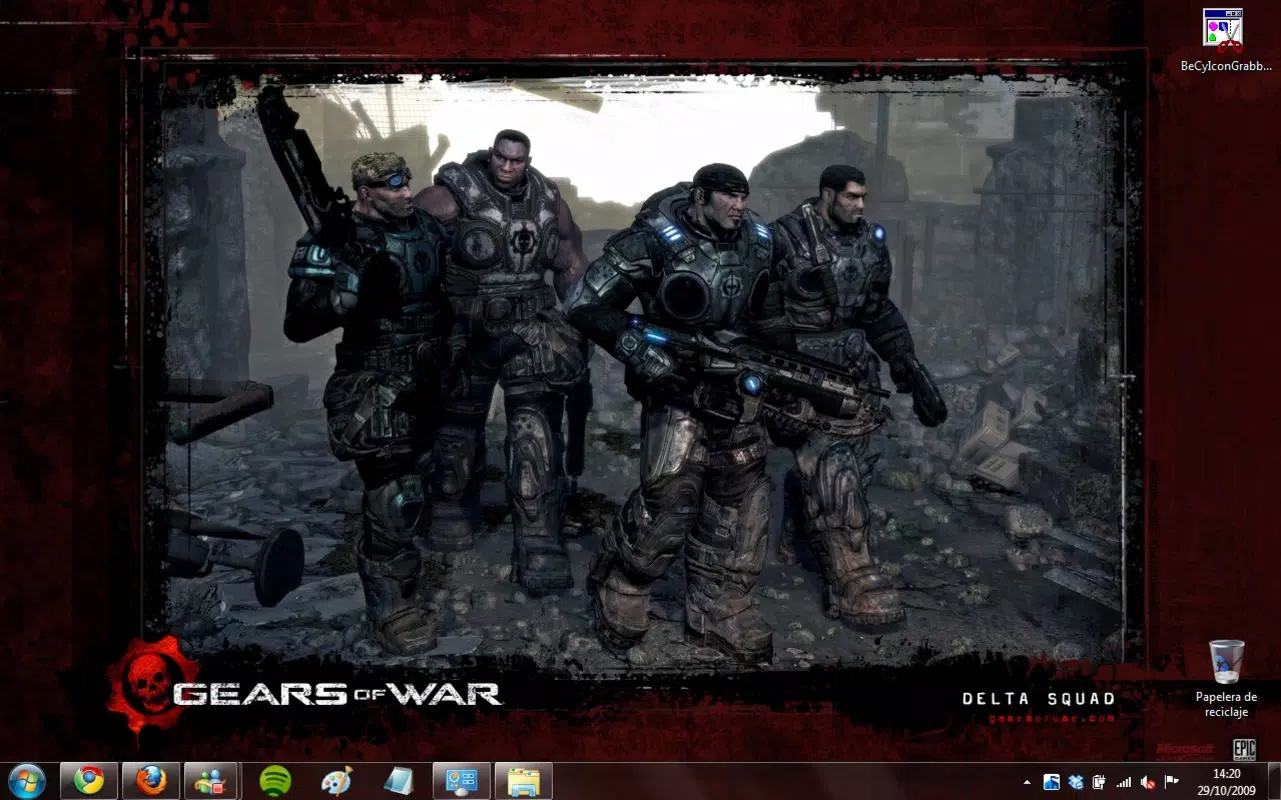
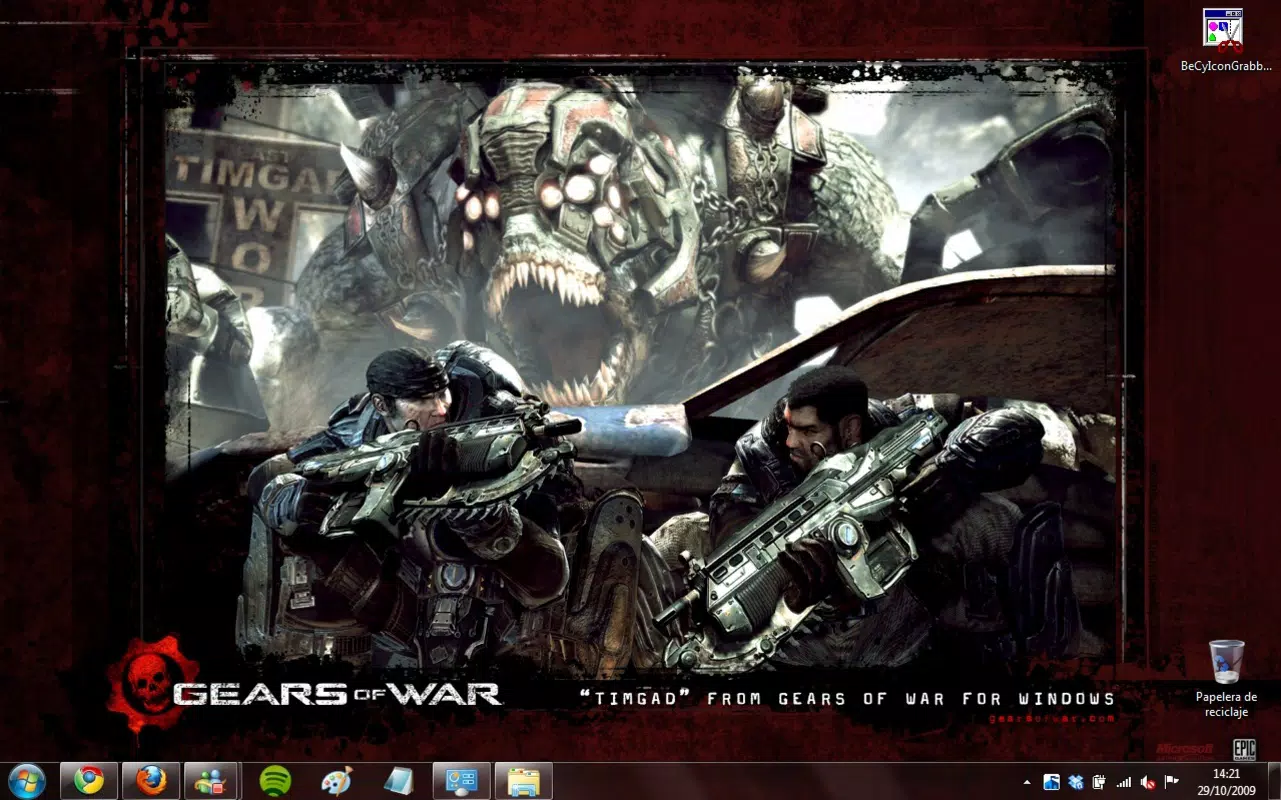
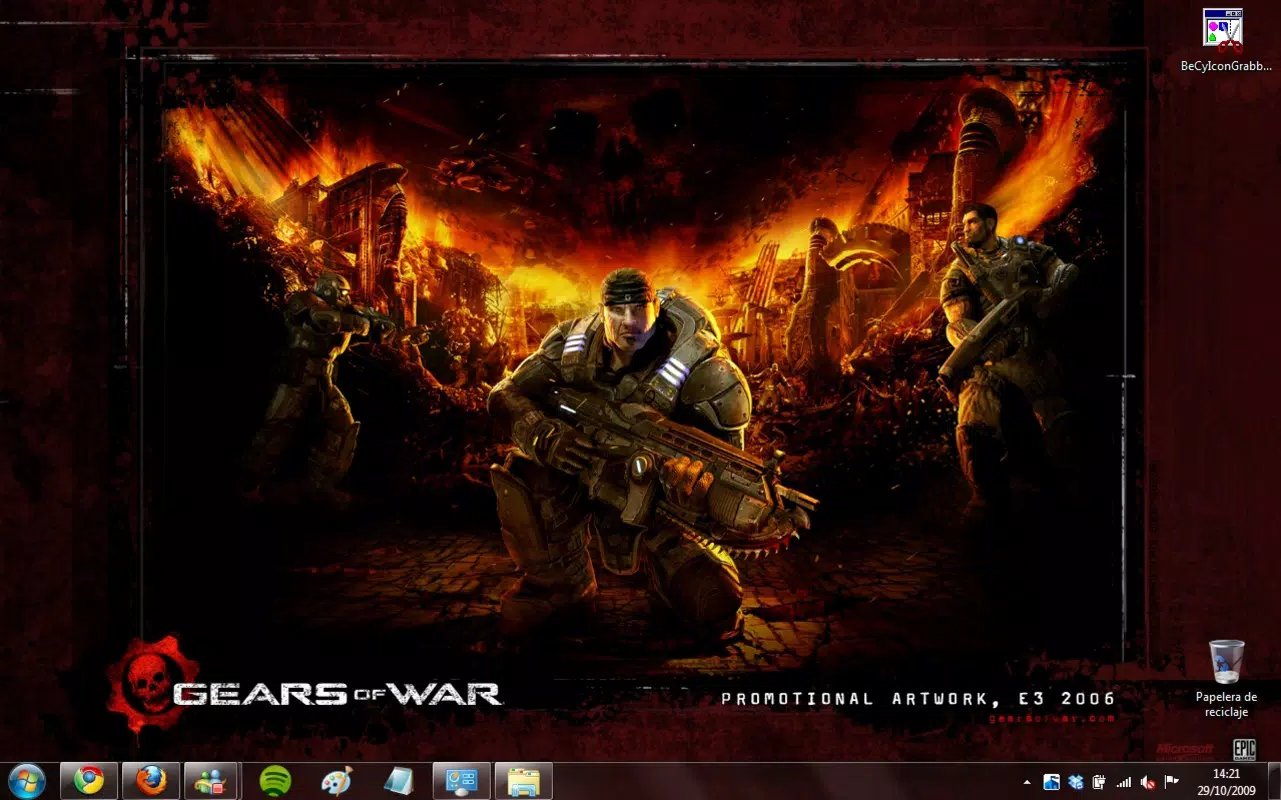
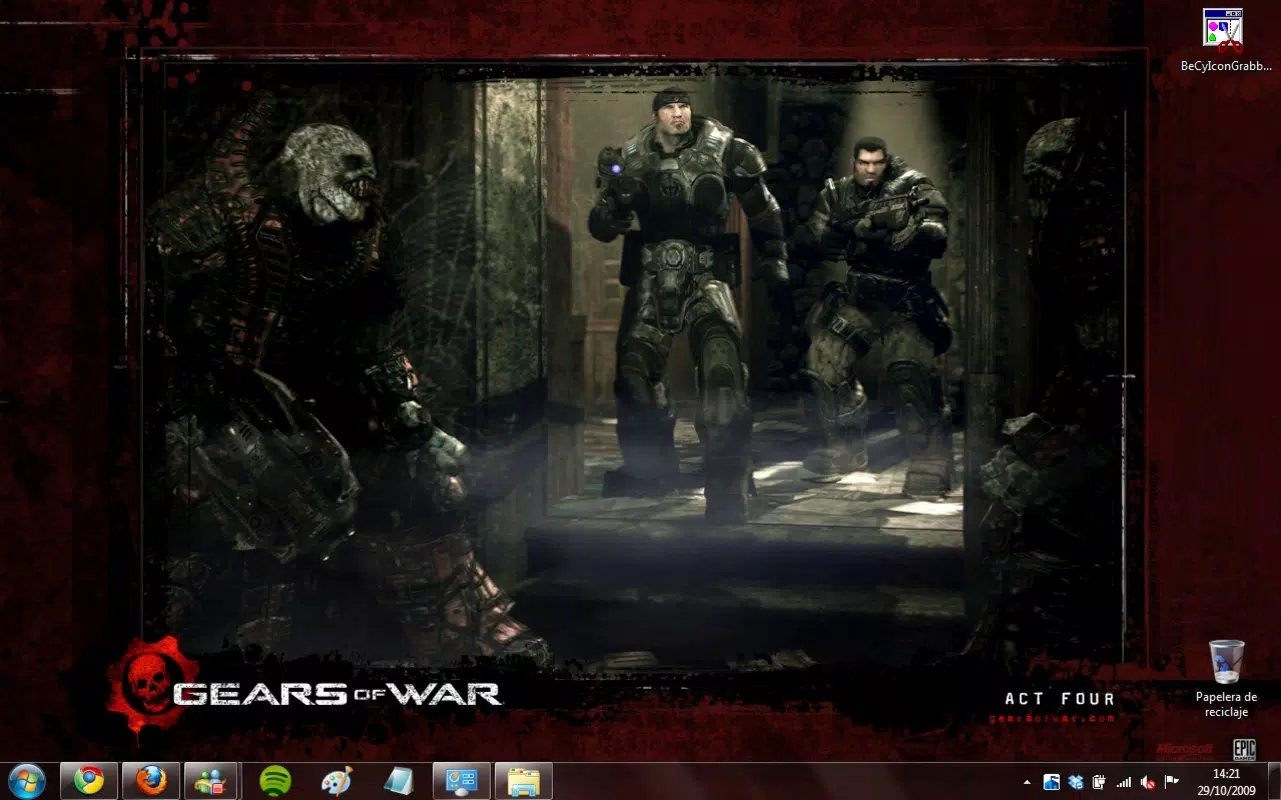
- 18 Unique Wallpapers: Featuring high-contrast, game-accurate artwork, these wallpapers include scenes from the game’s campaign, character portraits, and battlefield imagery. Users can cycle through them regularly to maintain visual variety and freshness.
- Character Showcases: Iconic figures such as Marcus Fenix, Dom, and Augustus Cole are prominently displayed across wallpapers and interface elements, reinforcing the theme’s connection to the franchise’s narrative and characters.
- Fan-Focused Design: Every visual element is curated to reflect the tone and atmosphere of Gears of War, from the distressed textures to the tactical insignias, creating a sense of authenticity for dedicated fans.
- Compatibility with Windows 7: The theme is engineered to integrate smoothly with Windows 7, ensuring that users can apply it without encountering system conflicts or requiring advanced technical knowledge.
For example, a fan who uses their PC for streaming or modding Gears of War content can benefit from the consistent visual identity, reinforcing their brand as a community member. Similarly, someone using Windows 7 on a legacy machine may appreciate the lightweight nature of the theme and its ability to enhance the interface without impacting performance.
Interface, UX & Performance
The interface of the Gears of War Windows 7 Theme is centered around visual transformation rather than interactive functionality. It modifies system elements such as window borders, taskbar appearance, and desktop backgrounds, creating a unified aesthetic. The layout remains consistent with Windows 7’s native design language, ensuring that navigation and system access remain intuitive.
The visual style leans into a tactical, military-inspired look with dark tones, metallic accents, and high-contrast textures. This design choice supports both aesthetic appeal and readability, even on older hardware. Users can easily switch between the 18 provided wallpapers through standard desktop settings, maintaining a seamless experience.
Although the developer did not list formal performance metrics, the theme’s file size of 25.6 MB suggests it is lightweight and optimized for systems with limited resources. It does not appear to introduce lag, crashes, or memory overhead based on its long-standing use on legacy systems. Stability is likely maintained due to its simple, static nature—no dynamic animations or background processes are involved.
Platform Compatibility & Technical Requirements
The Gears of War Windows 7 Theme is designed exclusively for Windows 7, ensuring compatibility with this specific operating system. It is available in a version 1.0 format, with a file size of 25.6 MB. The developer did not specify minimum OS requirements beyond Windows 7, nor did they list specific hardware or software prerequisites.
Given the theme’s release date of 2009, it was created during the early peak of Windows 7 adoption and is likely optimized for systems running on standard configurations of that era. Users on modern systems may encounter compatibility issues due to changes in OS architecture and security policies, but those using Windows 7 should find it installable and functional.
Specific requirements were not listed, and no updates have been released since its initial launch. As such, users should be aware that the theme may not support newer Windows versions or future updates to Windows 7.
Pros and Cons
Pros
- Visually immersive and authentic representation of the Gears of War universe.
- Includes 18 high-quality wallpapers for frequent customization.
- Lightweight design with minimal system impact.
- Easy to install and apply using standard Windows 7 tools.
- Perfect for fans seeking a nostalgic or thematic desktop experience.
Cons
- Exclusive to Windows 7, limiting use on modern operating systems.
- No recent updates or developer support since 2009.
- Limited to static visuals; no interactive or animated elements.
- Not available on mobile platforms or app stores.
- May not function properly on systems with updated security or compatibility settings.
FAQ
Is the Gears of War Windows 7 Theme safe to download?
The theme is distributed by Thomas P. Larson and does not contain malware or intrusive components. It is a static visual package designed solely for desktop customization.
Can I use this theme on Windows 10 or Windows 11?
Due to its design for Windows 7, compatibility with Windows 10 or 11 is not guaranteed. Users may experience issues with installation or visual rendering.
How do I install the Gears of War Windows 7 Theme?
Users can install it by extracting the files and applying the theme through the Windows 7 Personalization settings, including setting the wallpaper, colors, and sounds.
Does the theme require administrator rights?
Installation typically does not require administrator privileges, but applying system-wide changes may prompt permission requests depending on user account control settings.
Are there any updates or new versions available?
The developer has not released any updates since the initial version 1.0, which was launched in 2009.
Final Thoughts
The Gears of War Windows 7 Theme remains a standout example of fan-driven digital personalization. For users still running Windows 7, it offers a nostalgic, high-impact way to connect with one of gaming’s most beloved franchises. Its strong visual identity, extensive wallpaper selection, and seamless integration with the OS make it a valuable tool for fans seeking authenticity and style.
While its limitations—such as platform exclusivity and lack of updates—are notable, they are balanced by its simplicity and enduring appeal. This theme is ideal for dedicated Gears of War enthusiasts, retro computing users, and anyone who values a deeply thematic desktop environment.
Download Gears of War Windows 7 Theme now and transform your Windows 7 experience into a battlefield of style and passion.


